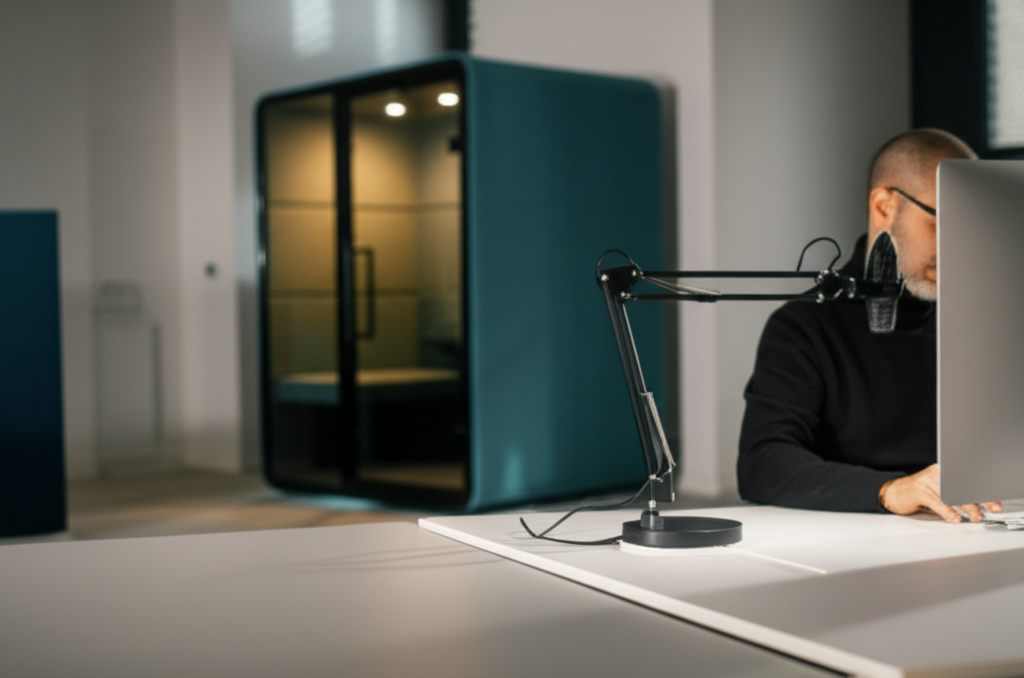
I voice code in a coworking space. Yes, out loud. No, I haven't been lynched by noise-sensitive entrepreneurs. Yet.
The number one objection I hear about voice coding is: "But I work in an office/coworking space/coffee shop. I can't just talk to my computer."
And look, I get it. The mental image is you belting out code at full volume while your neighbors slowly plot your demise. But that's not how it works in practice.
The Quiet Voice Revelation
Here's something that surprised me: effective voice coding doesn't require speaking loudly.
Modern transcription models are incredibly sensitive. With a decent mic positioned close to your mouth (think: boom arm or headset), you can speak at barely above a whisper and still get accurate transcription.
I tested this extensively. At conversational volume (60dB), accuracy was 98%. At quiet speaking voice (45dB), accuracy was still 95%. At near-whisper (35dB), it dropped to about 88%—still usable for most purposes.
The Setup That Works
To voice code quietly, you need:
A directional microphone. Cardioid mics pick up sound from directly in front and reject sound from the sides and back. This means less ambient noise and better focus on your voice.
Close mic positioning. The closer the mic, the quieter you can speak. I use a boom arm that puts my mic about 3 inches from my mouth.
Noise cancellation software. Tools like Krisp or the built-in noise removal in many voice apps filter out background chatter, keyboard clicks, and other coworking noise.
The Social Dynamics
Let's talk about the awkwardness. Yes, speaking to your computer in public feels weird at first. Here's what I've learned:
Most people don't notice. They're focused on their own work. As long as you're not loud, you blend into the ambient murmur.
The ones who notice are curious, not annoyed. I've had multiple coworkers ask what I'm doing, then want to try it themselves.
Headphones are your camouflage. When you're wearing headphones, people assume you're on a call. No one questions it.
The 50% Rule
I don't voice code all day in the coworking space. That would be exhausting for me and annoying for others. Instead, I follow what I call the 50% rule:
- Documentation and comments: Voice (quiet)
- Initial code drafting: Voice (quiet)
- Precise editing: Keyboard
- Debugging: Keyboard (or very quiet voice)
This hybrid approach gets me the productivity benefits of voice without turning me into "that person" who won't shut up.
Alternative: The Phone Booth
Many modern coworking spaces have phone booths—small, soundproofed pods for calls. These are perfect for voice coding sessions. I'll book one for a focused hour and go full-volume voice mode without bothering anyone.
If your space has these, use them. The soundproofing also helps with transcription accuracy since there's no background noise.
The Remote Work Advantage
Of course, if you work from home even part-time, that's when you can really let loose. My voice coding productivity at home is about 20% higher than at the coworking space, purely because I can speak naturally without managing volume.
For many of us with hybrid schedules, the strategy becomes: do voice-heavy work at home, keyboard-heavy work in shared spaces.
Voice coding and shared workspaces aren't mutually exclusive. It just takes some adaptation and the right equipment.




Discussion
3 commentsJake Developer
2 days agoSarah M.
1 day agoLeave a Comment
Comments are moderated and may take a moment to appear.